How can I print a page?
Our platform currently does not provide a way for teachers to print the Teacher Edition, Teacher Resources, or Student Book from the Portal. You may attempt to print via your internet browser, but since we do not support this feature, each browser will yield different results.
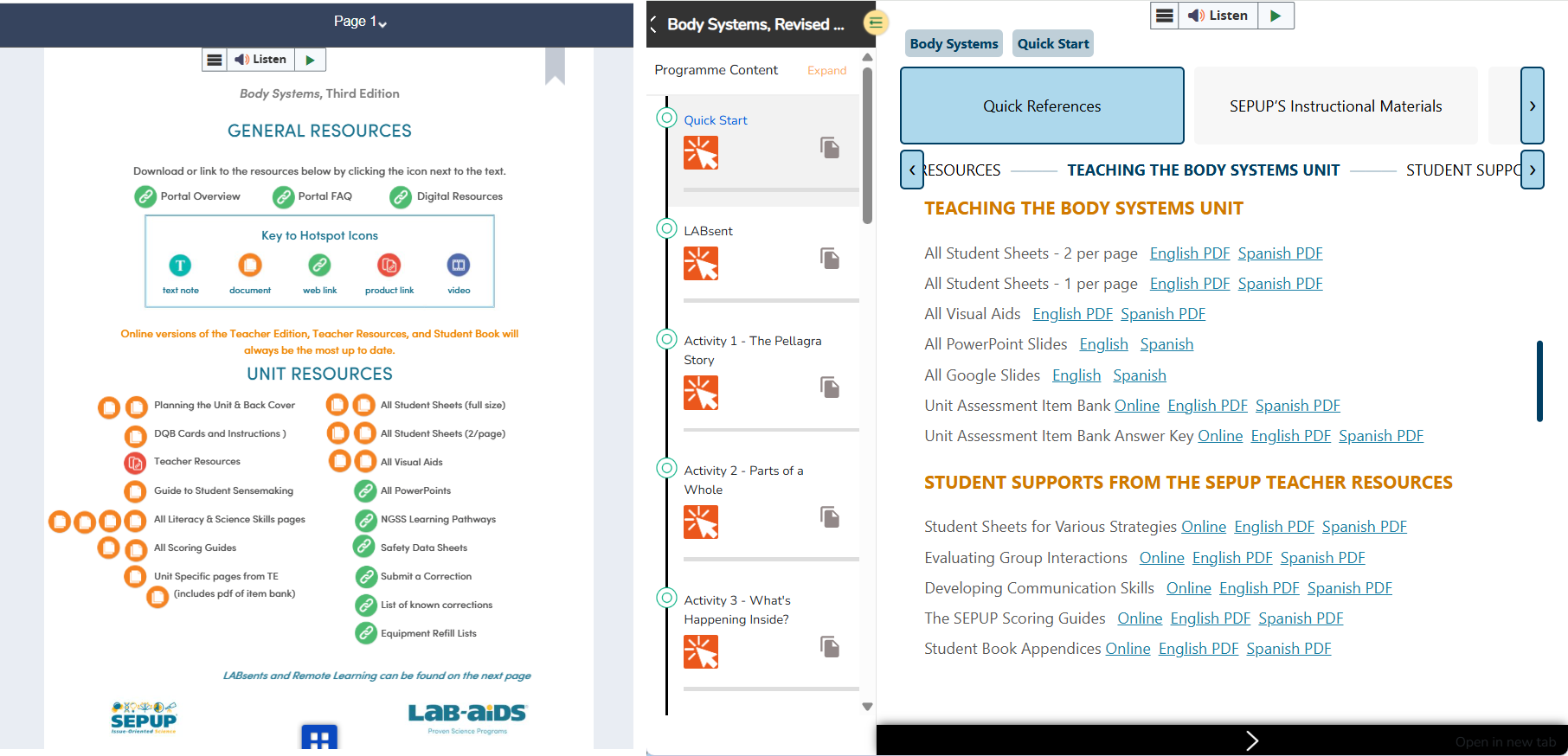
Each program contains various PDFs that teacher can download and print, including PDFs for Planning the Unit, Student Sheets, Visual Aids, Item Banks, Student Supports, etc.
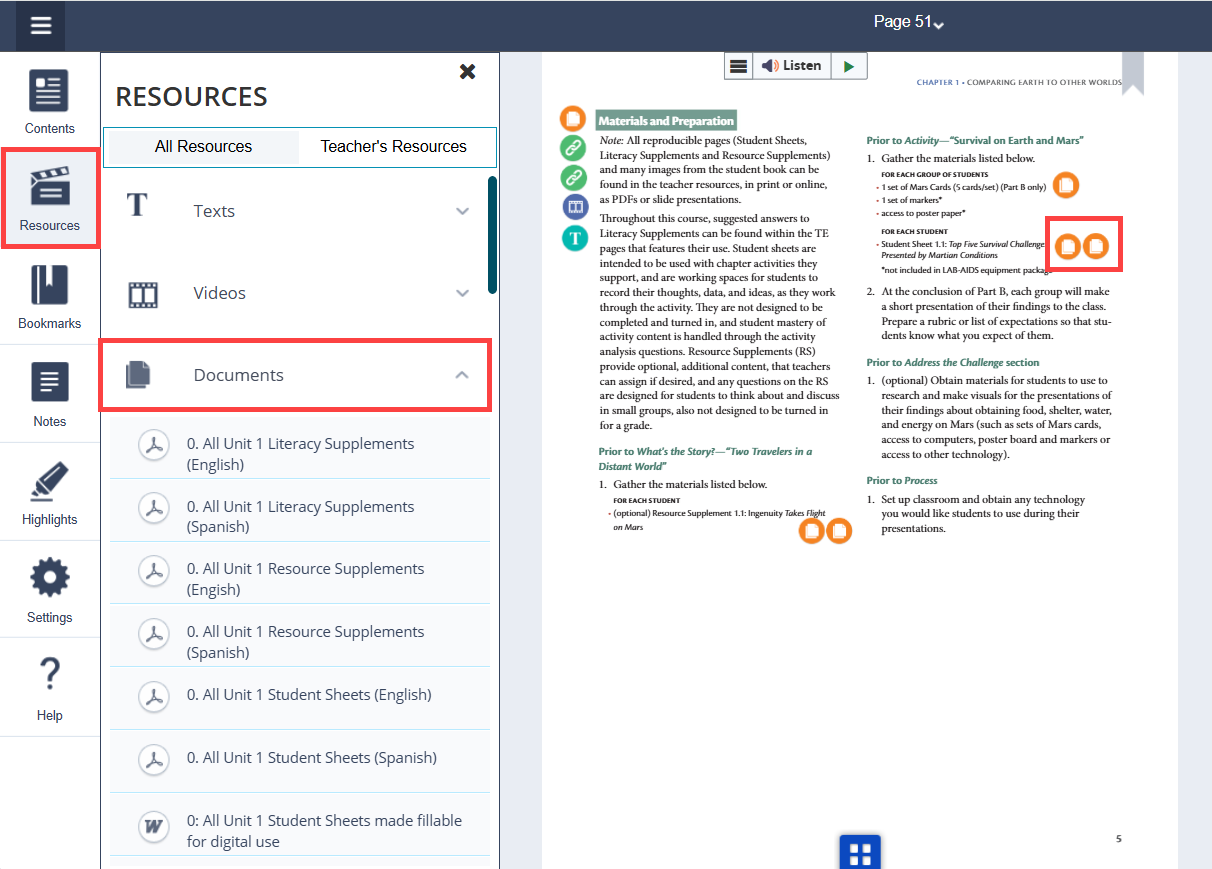
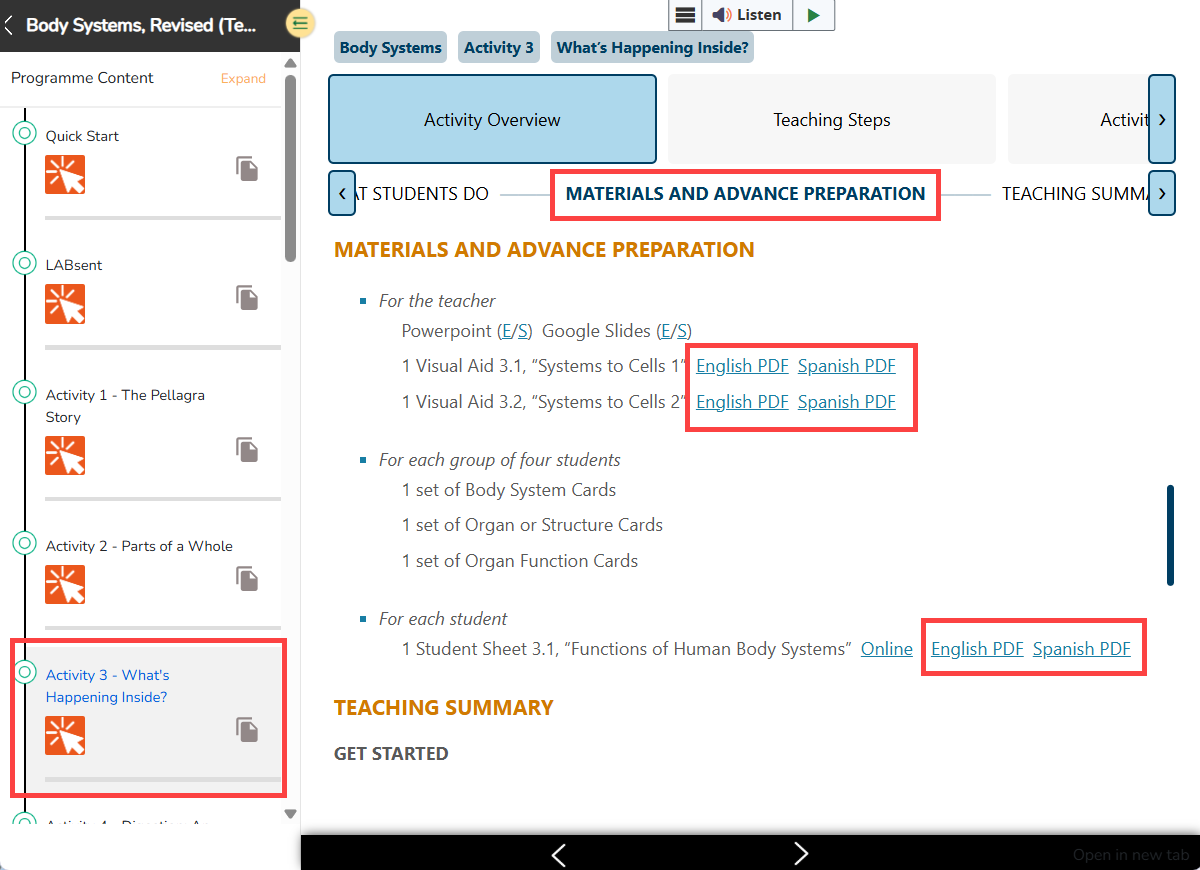
In Portal 1.0 (ePubs), PDFs are found from A) Page 1 (Tools and Resources page), B) the Materials and Advanced Preparation section of each activity, and C) from the "Resources" >> "Documents" left-hand menu. Click the orange hotspot icon next to the PDF, save the document to your computer, and print from the PDF.
In Portal 2.0 (HTML), PDFs are available from the Quick Start >> Quick References page as well as from the Materials and Advanced Preparation section of each activity.

.png?width=20&height=20&name=Icon%20(Stroke).png)

.png?width=20&height=20&name=Type=Outline%20(3).png)
.png?width=20&height=20&name=Type=Outline%20(2).png)